1
Sign in to Eigo.AI, click "Institution", then click "Users" to open the Users page.
2
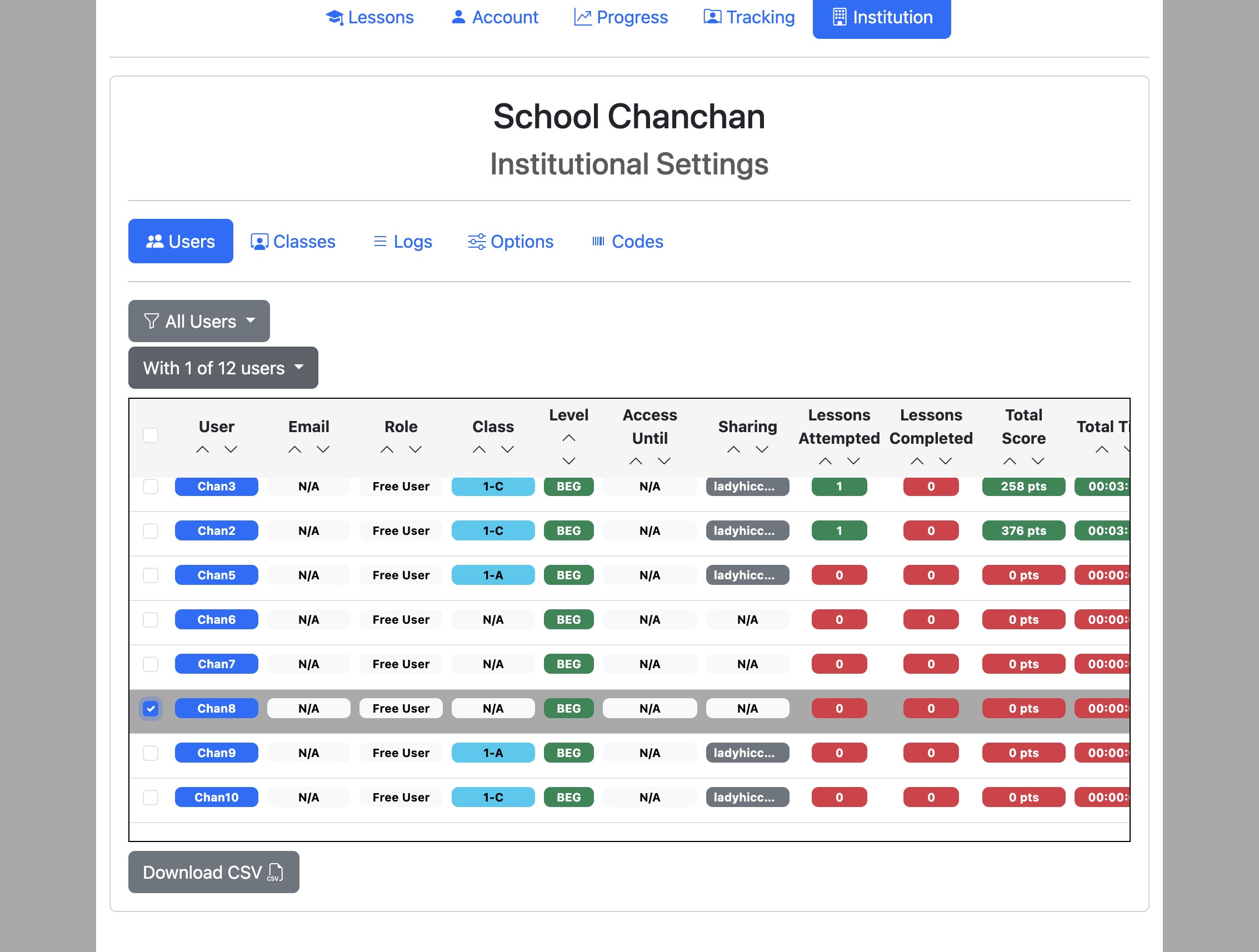
If the Role filter is shown, set it before selecting users; changing it clears the current selection. Select users you wish to remove with the checkboxes on the left and click the "With x of n users" dropdown button
3
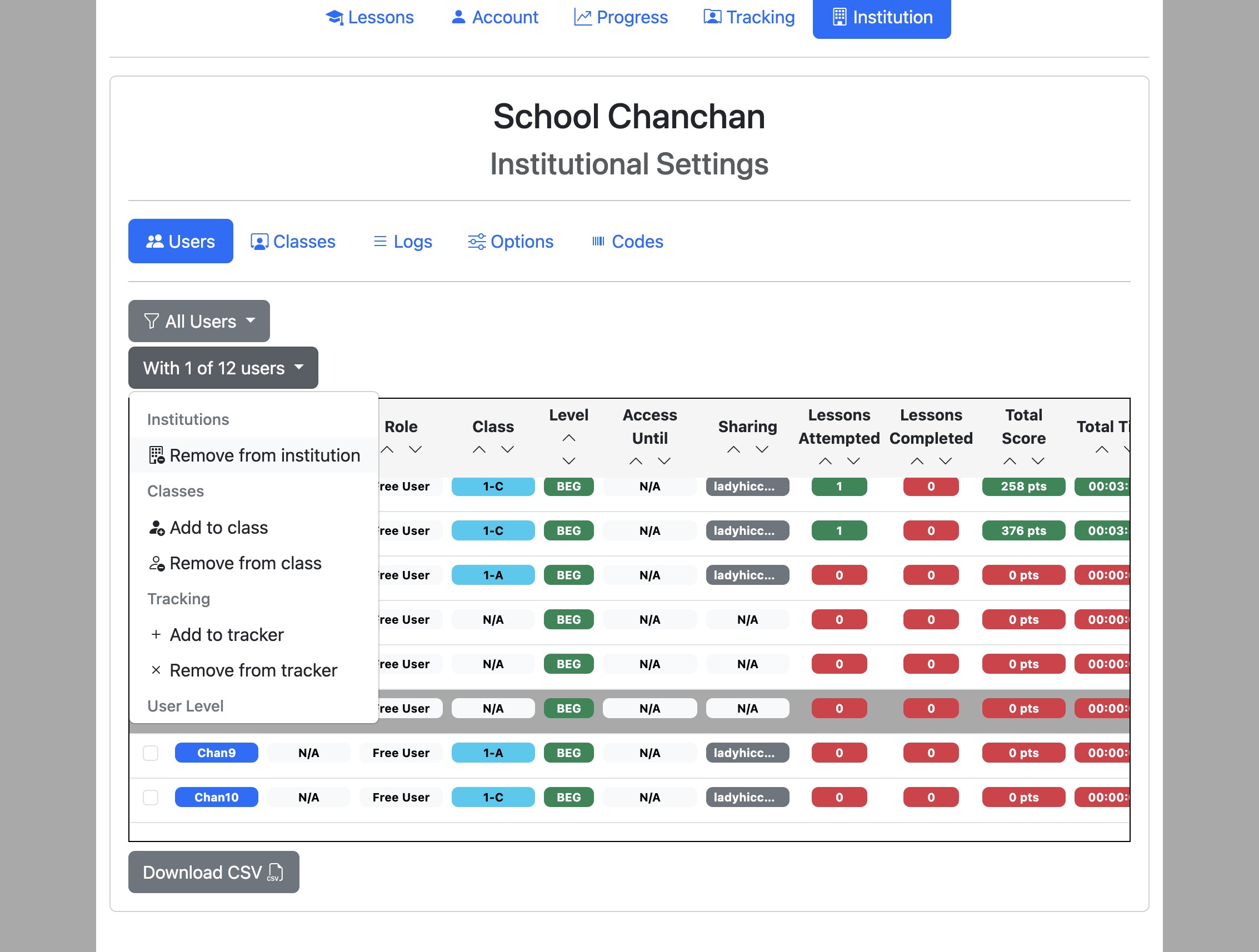
Click "Remove from institution".
4
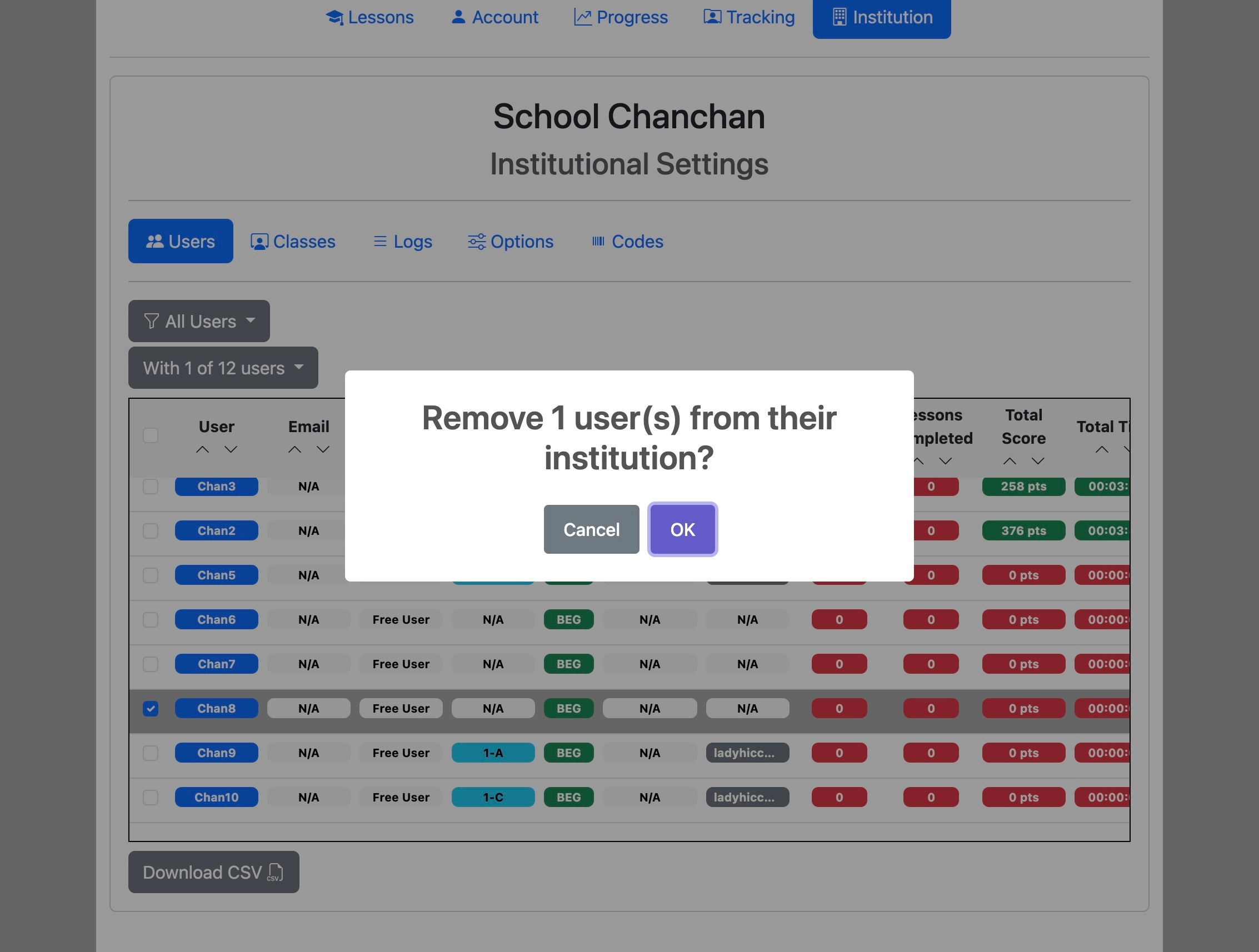
Click "OK" to confirm.
Managers cannot remove themselves from the institution.