1
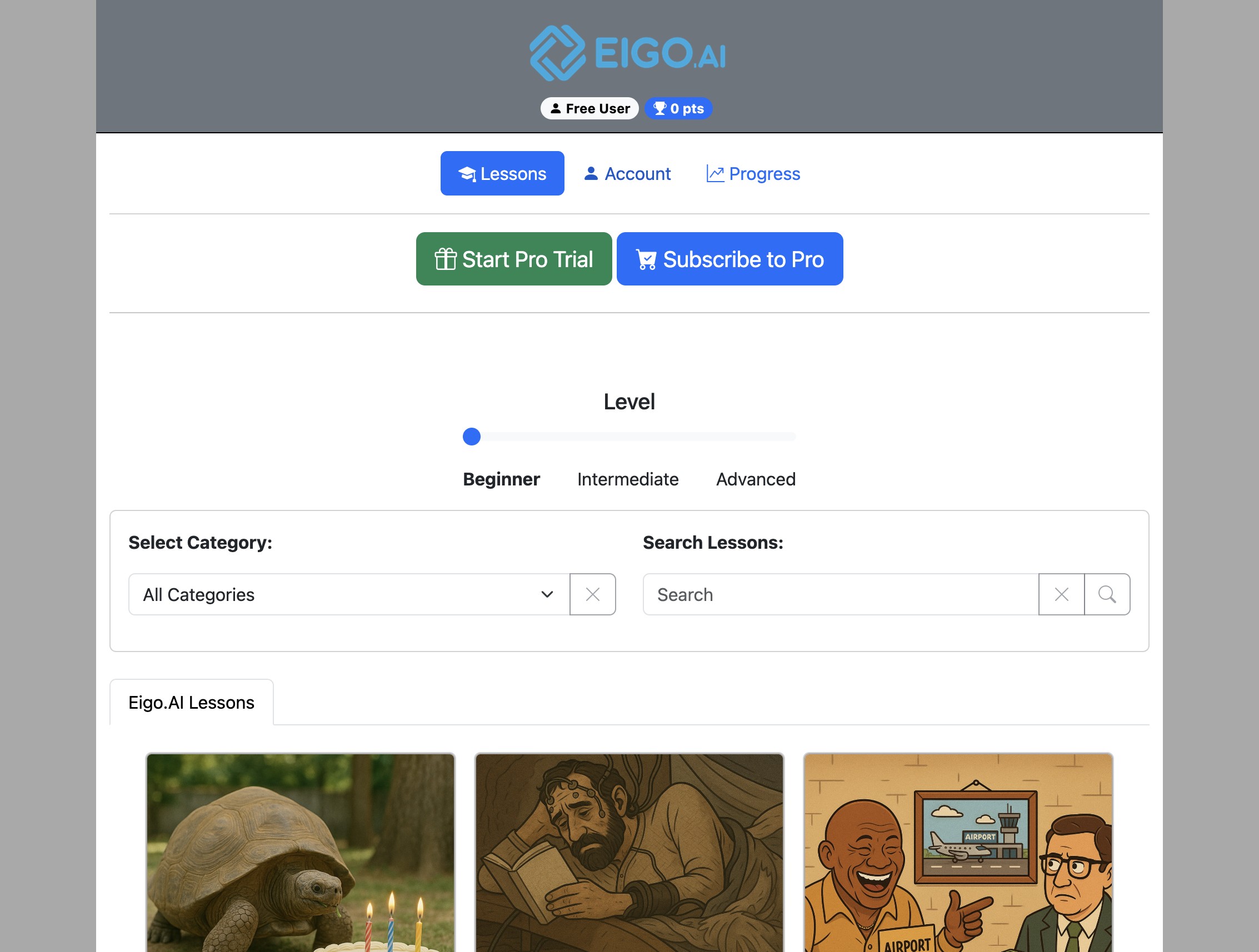
Navigate to https://eigo.ai/lessons/
2
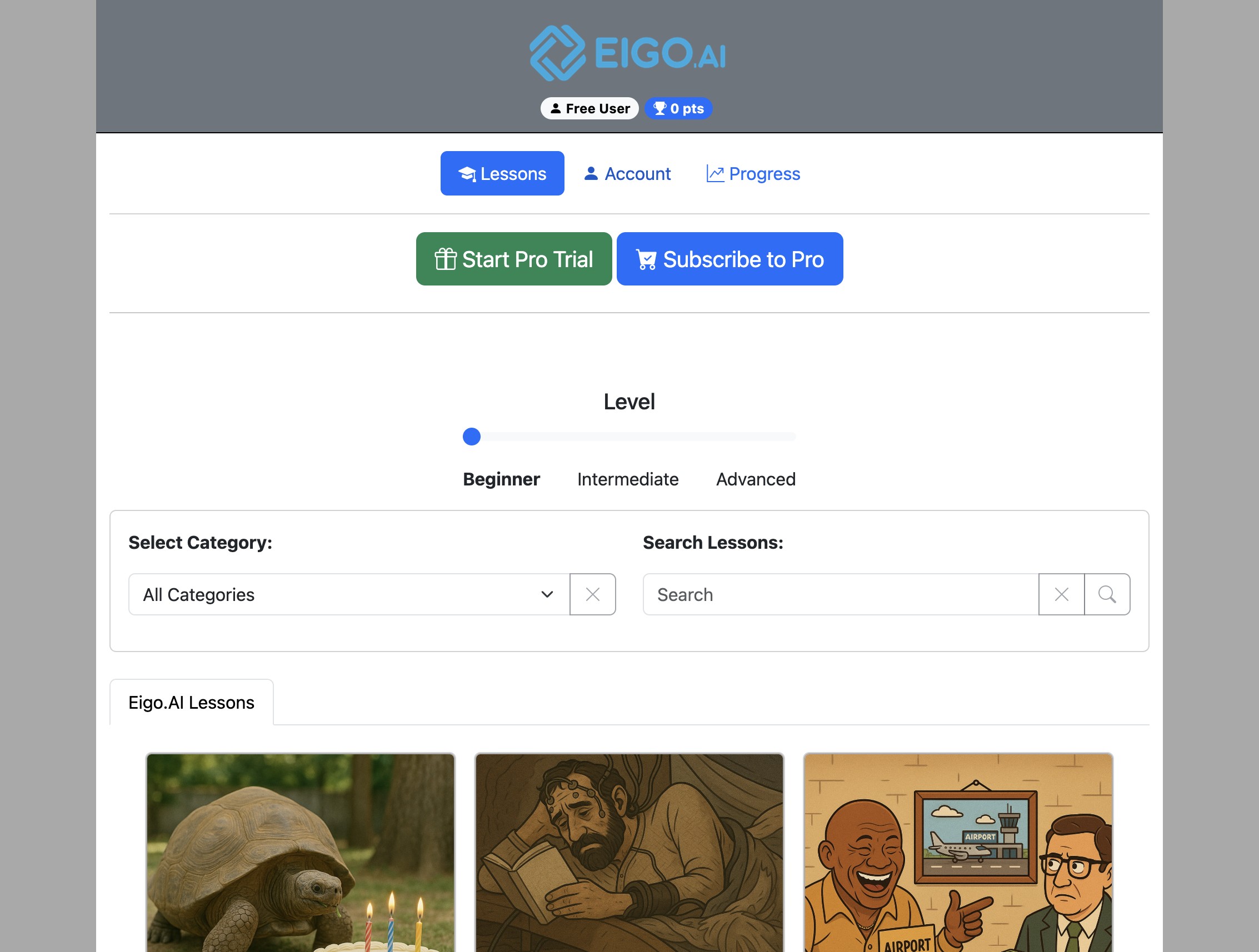
Click "Account"
3
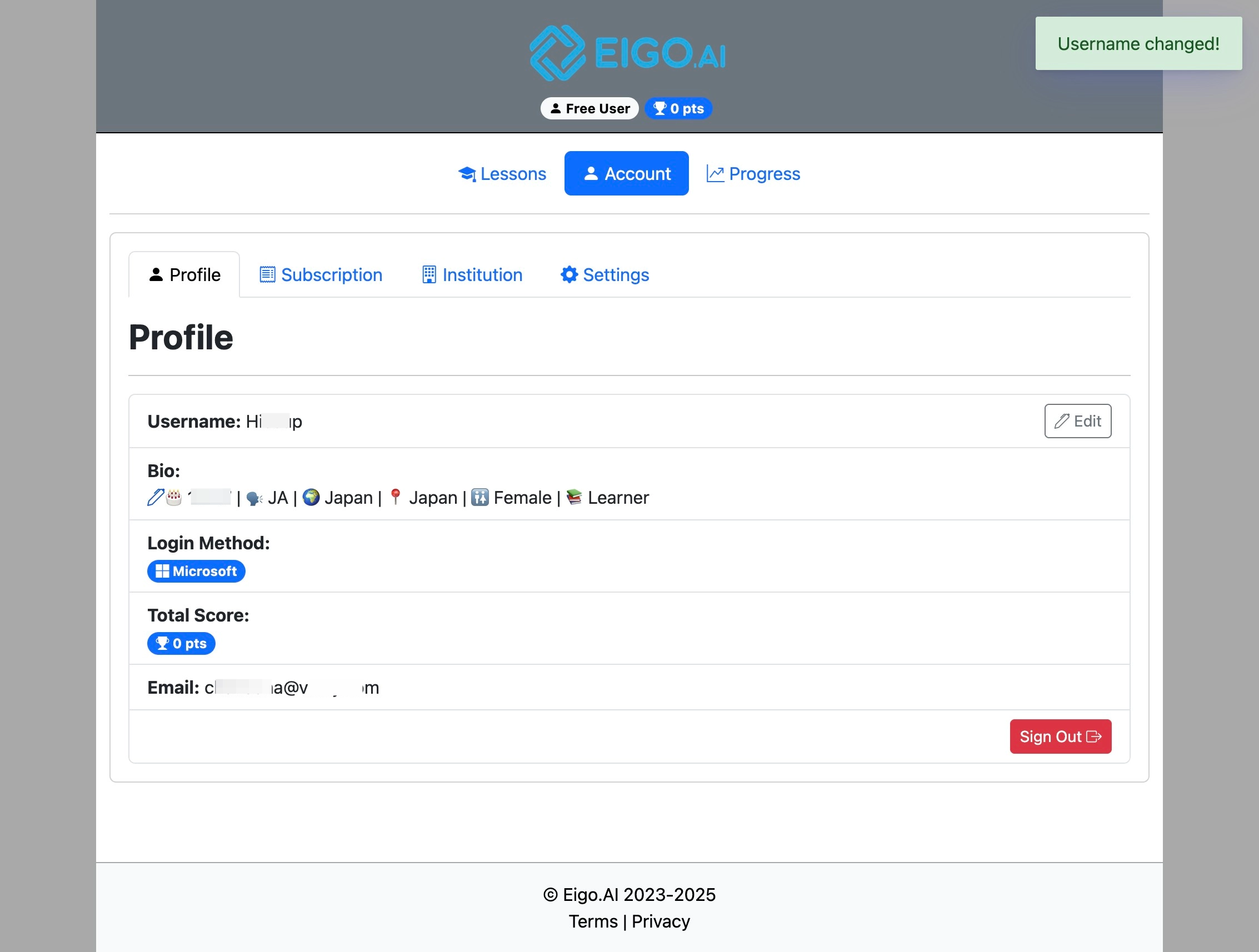
Under the 'Profile' tab, click on the pen icon to enter or edit your bio data.
4
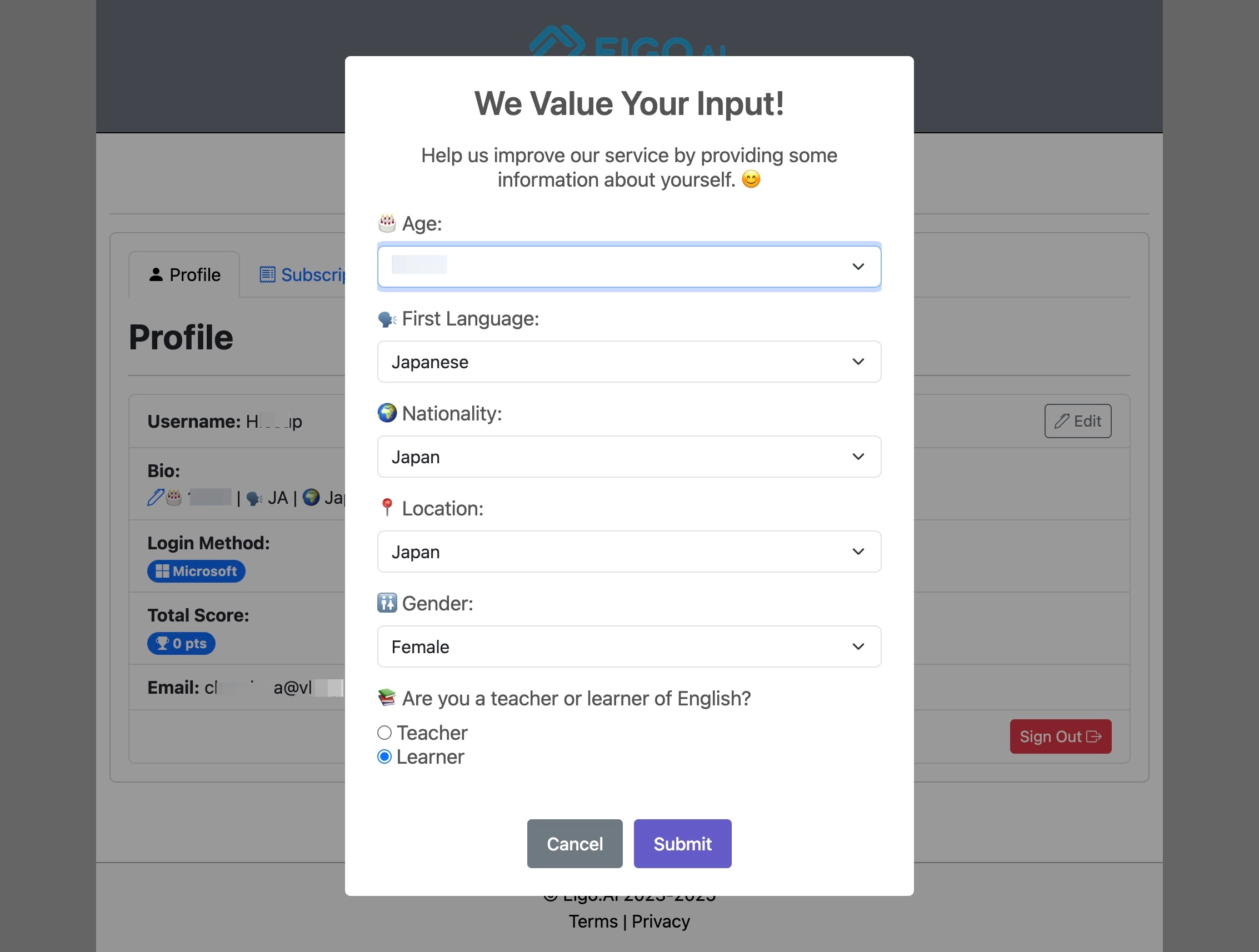
Fill the biodata form and click "Submit" to save details.
Student Manual
4 step guide for Eigo.AI student users.
Navigate to https://eigo.ai/lessons/
Click "Account"
Under the 'Profile' tab, click on the pen icon to enter or edit your bio data.
Fill the biodata form and click "Submit" to save details.