1
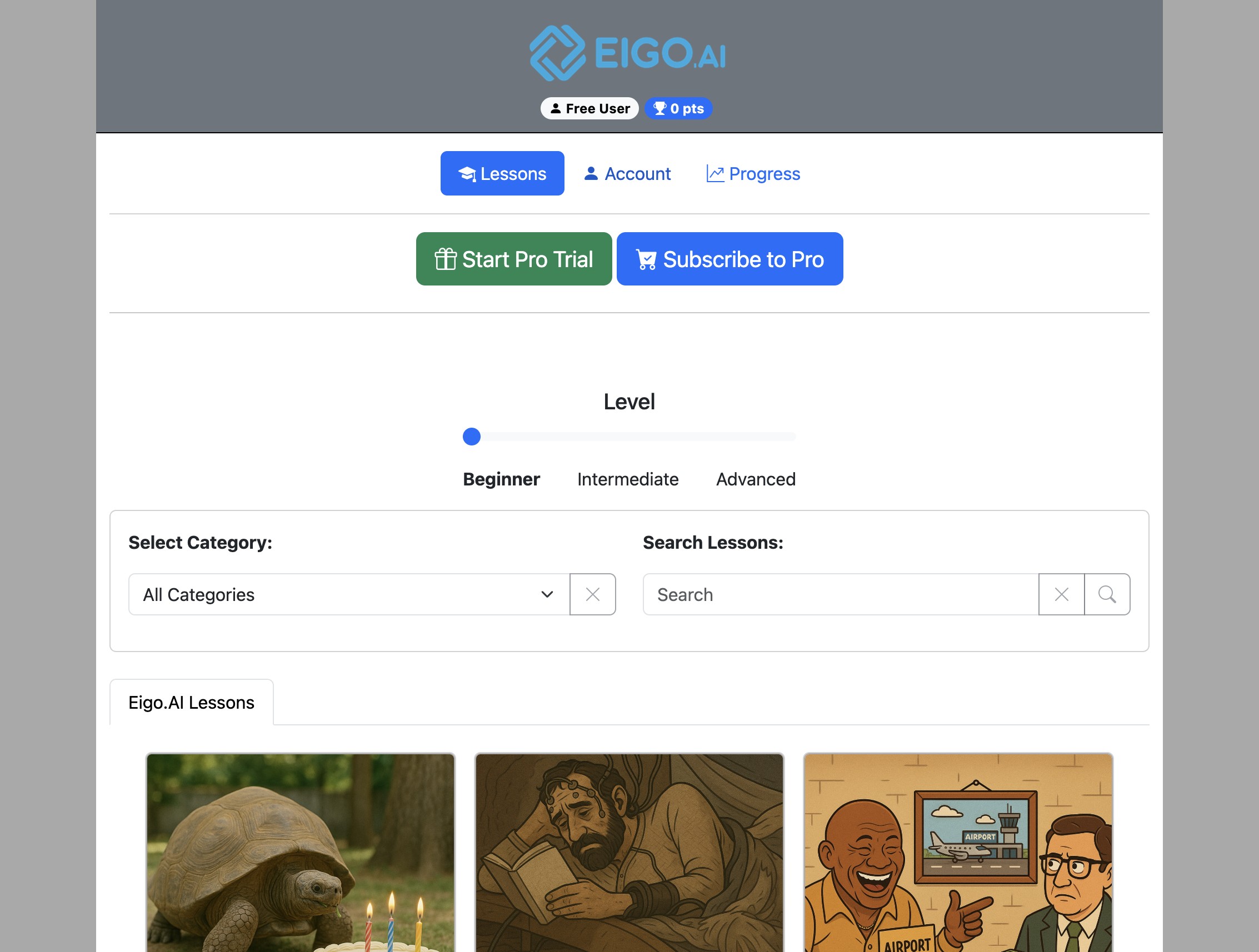
Navigate to https://eigo.ai/lessons/
2
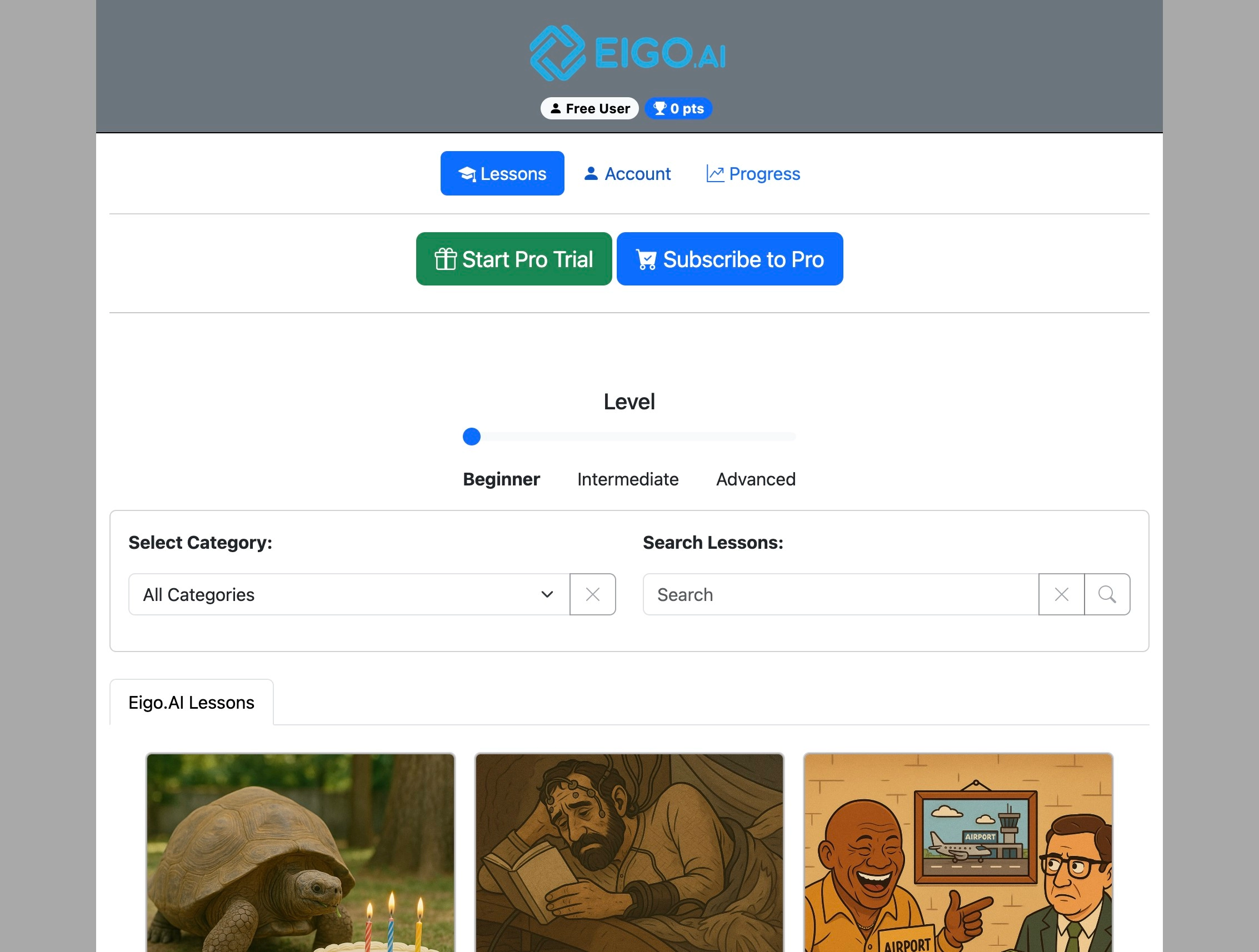
Click "Account"
3
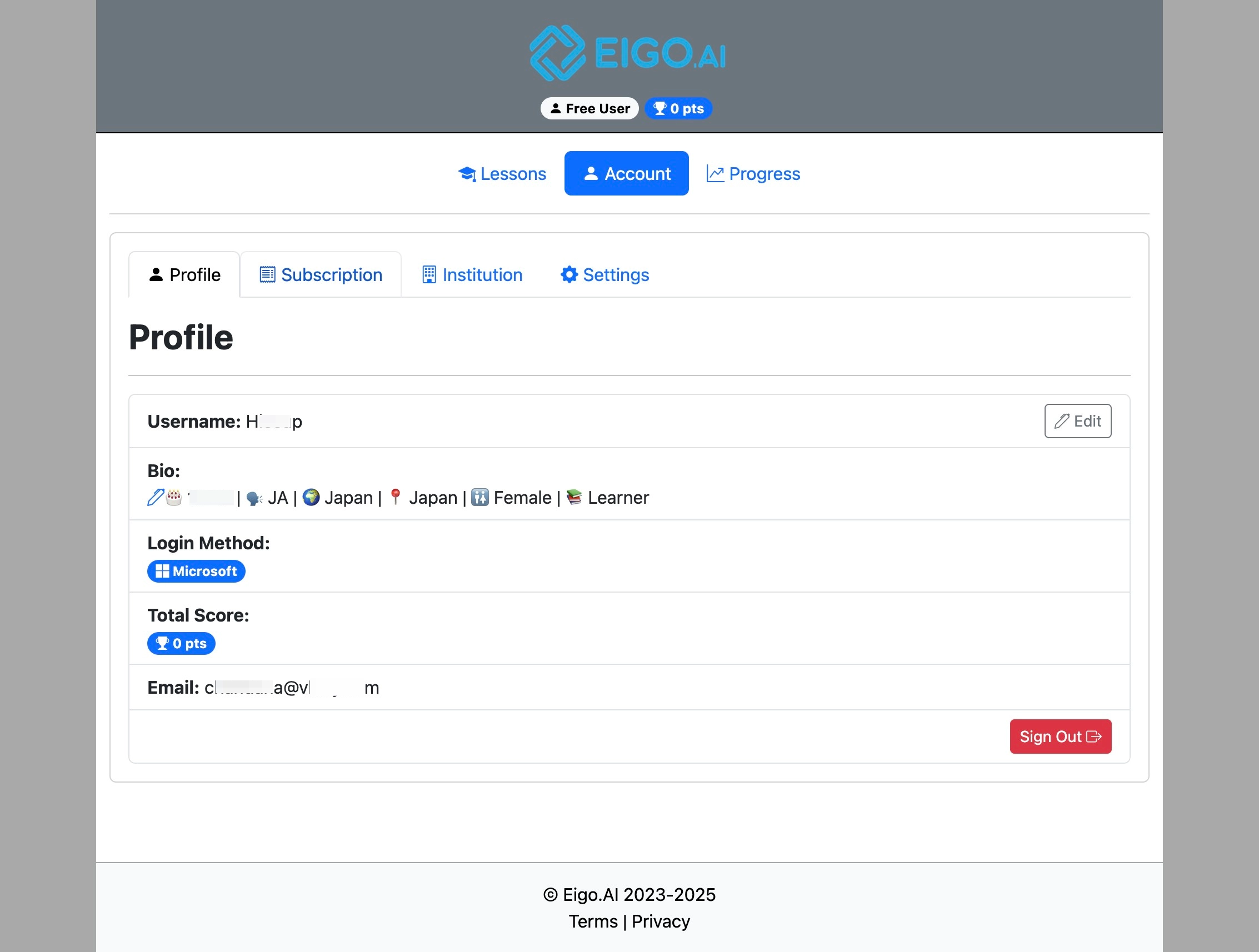
Click "Subscription"
4
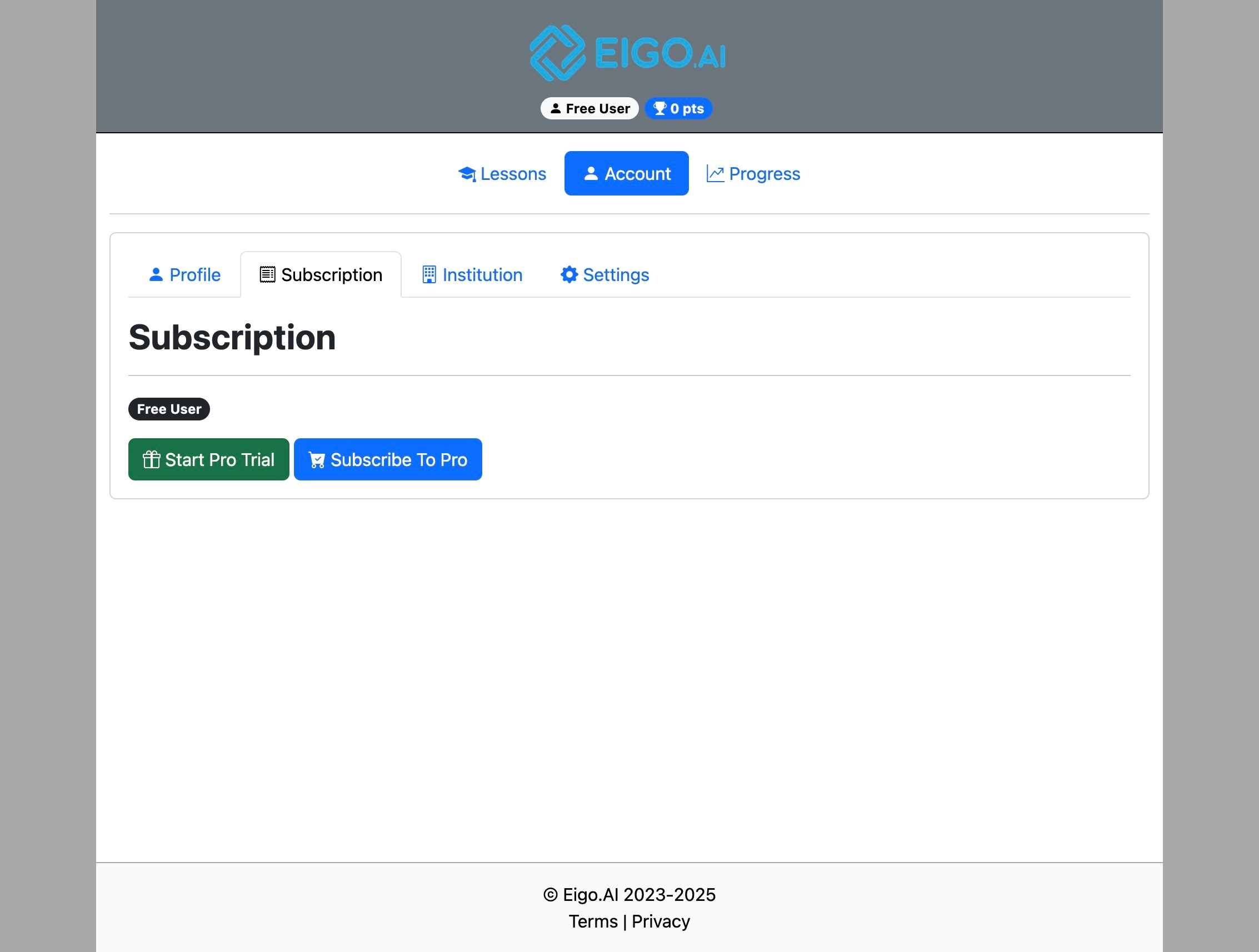
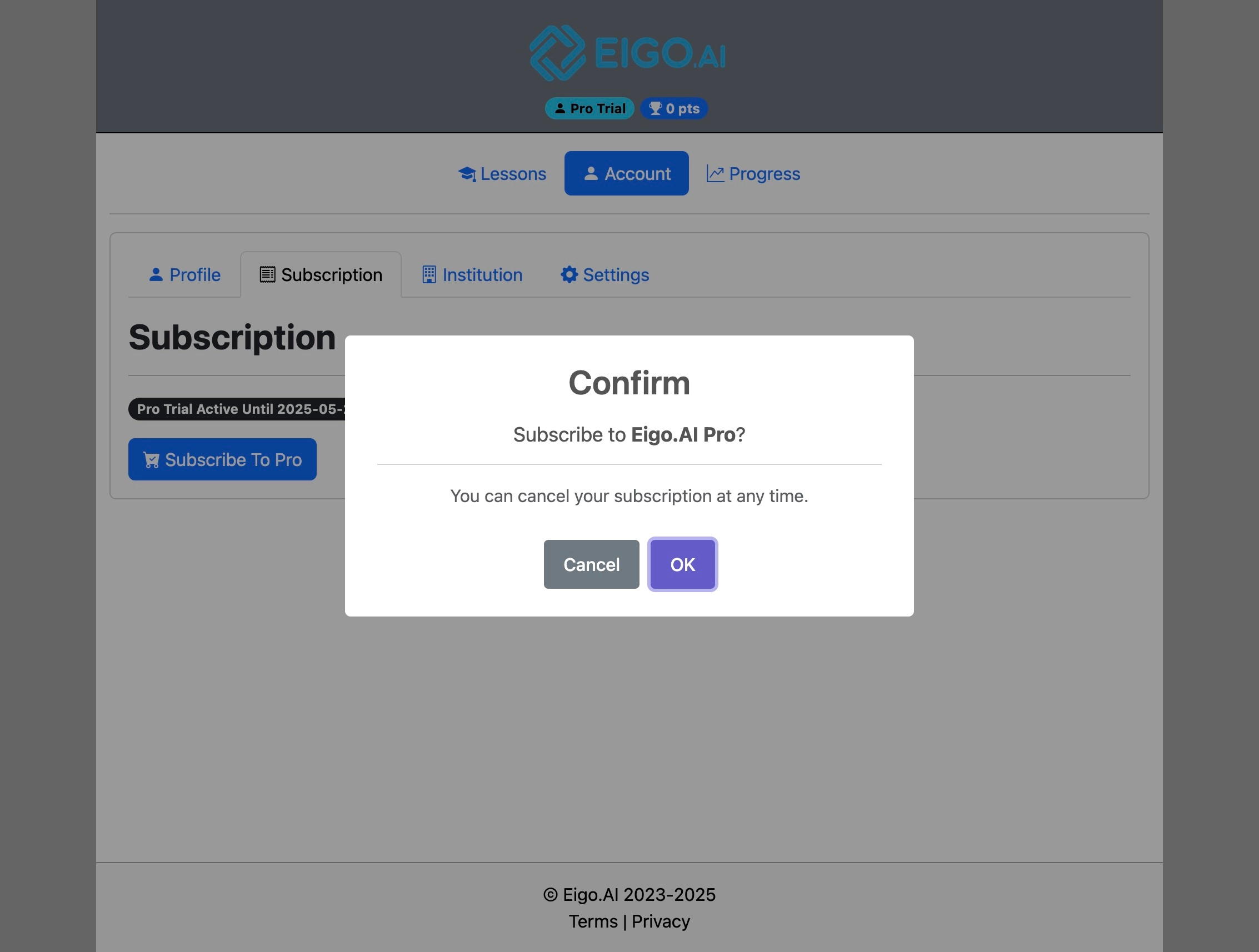
Click "Subscribe To Pro"
5
Click "OK" to proceed to purchase the subscription.
6
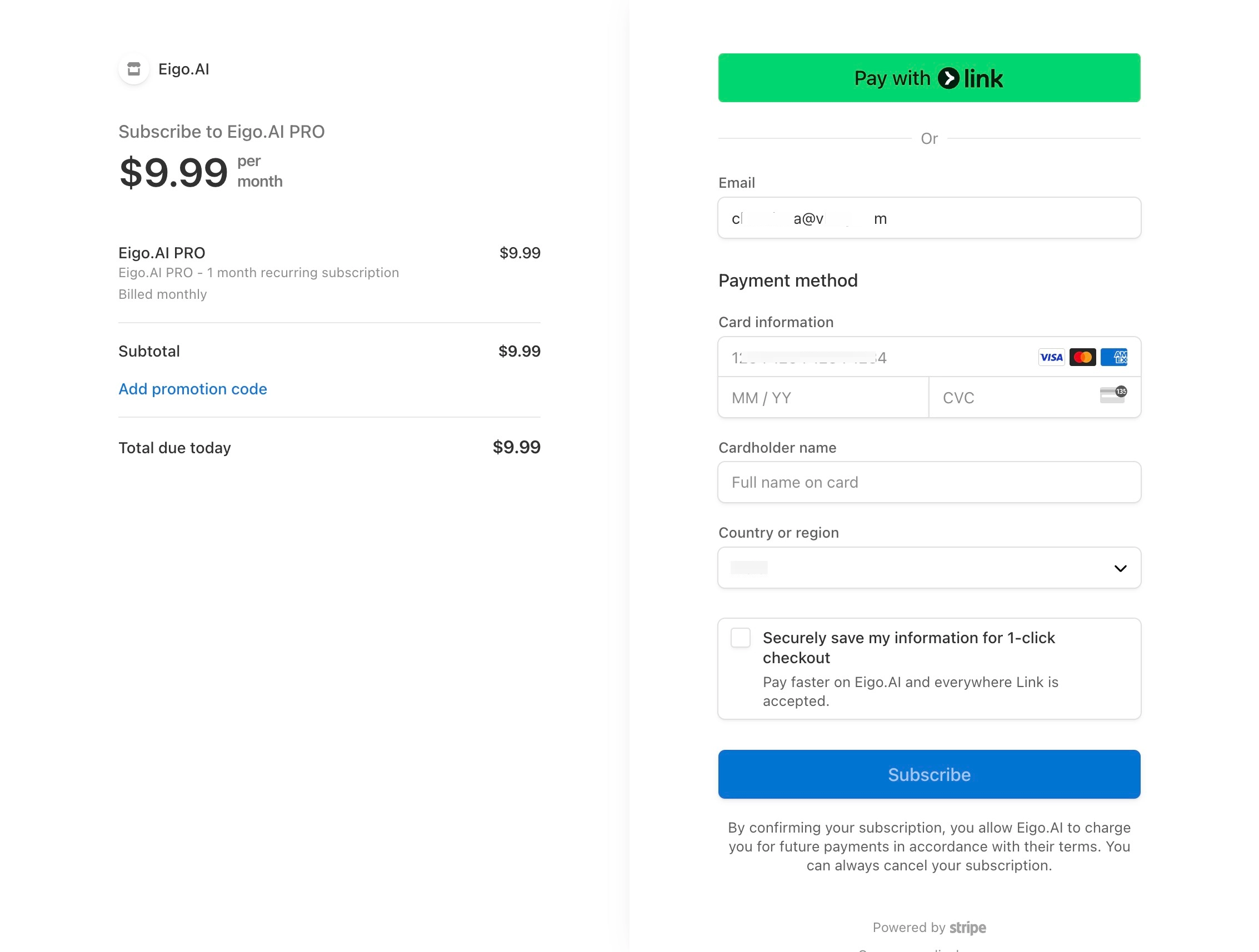
Enter your card details and click "Subscribe".
Student Manual
6 step guide for Eigo.AI student users.
Navigate to https://eigo.ai/lessons/
Click "Account"
Click "Subscription"
Click "Subscribe To Pro"
Click "OK" to proceed to purchase the subscription.
Enter your card details and click "Subscribe".